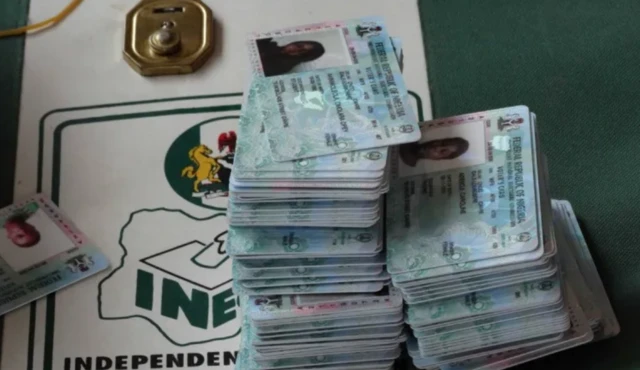


















How to register, update voter card on INEC’s online
The Independent National Electoral Commission (INEC) has continued to simplify Nigeria’s voter registration process through its Online Self-Service Portal, allowing eligible citizens to begin registration and update their voter information digitally before completing biometric verification at designated registration centres.
The online platform forms part of INEC’s efforts to improve accessibility, reduce waiting time and strengthen the integrity of Nigeria’s electoral register ahead of future elections.
The How to register, update voter card on INEC’s online self-service portal guide is particularly important as political activities gradually intensify ahead of the 2027 general elections, with millions of Nigerians expected to verify or update their voter information.
What Is the INEC Online Self-Service Portal?
The INEC Online Self-Service Portal is a digital platform that enables eligible Nigerians to initiate several voter-related services without first visiting an INEC office.
Through the portal, users can:
- Register as first-time voters.
- Apply for replacement of lost, stolen or damaged Permanent Voter Cards (PVCs).
- Transfer voting locations.
- Correct personal information.
- Update voter records.
- Confirm registration details.
Although many steps can be completed online, INEC requires applicants to appear physically at designated registration centres for biometric capture before registration becomes valid.
The How to register, update voter card on INEC’s online self-service portal process therefore combines online convenience with physical verification to protect the credibility of the electoral register.
Who Can Register?
INEC allows Nigerian citizens who meet constitutional requirements to register as voters.
To qualify, applicants must:
- Be Nigerian citizens.
- Be at least 18 years old.
- Reside in Nigeria.
- Not already be registered.
- Be legally qualified to vote.
Applicants who previously registered should not attempt another fresh registration but instead use the update services where necessary.
The How to register, update voter card on INEC’s online self-service portal guide helps eligible citizens avoid duplicate registrations, which are prohibited under Nigeria’s electoral laws.
Step-by-Step Registration Process
The registration process is straightforward.
Step 1: Visit the Portal
Applicants should visit the official INEC voter registration portal:
Users will be required to create an account using a valid email address and phone number.
Step 2: Select Required Service
The portal provides different options, including:
- New voter registration.
- PVC replacement.
- Transfer request.
- Correction of personal information.
- Voter information update.
Applicants should carefully choose the service that matches their needs.
The How to register, update voter card on INEC’s online self-service portal process begins with selecting the appropriate service category.
Step 3: Complete Online Form
Applicants will enter personal information including:
- Full name.
- Date of birth.
- Residential address.
- State and Local Government Area.
- Contact details.
Supporting documents may be requested where necessary.
Step 4: Upload Photograph
The portal requires applicants to upload a recent passport photograph that meets INEC specifications.
The image should be clear, recent and taken against an appropriate background.
Step 5: Book Biometric Appointment
After completing the online form, applicants select a convenient INEC registration centre and appointment date.
This stage is essential because online registration alone does not complete the process.
The How to register, update voter card on INEC’s online self-service portal procedure requires every applicant to appear physically for fingerprint and facial biometric capture.
Updating Existing Voter Records
Citizens who already possess voter records can also use the portal to update their information.
Common updates include:
- Change of residential address.
- Transfer to another polling unit.
- Correction of spelling errors.
- Replacement of damaged PVCs.
- Replacement of lost PVCs.
These services help ensure voter information remains accurate before elections.
The How to register, update voter card on INEC’s online self-service portal system reduces paperwork while making record management more efficient.
Why Biometric Verification Is Important
INEC requires biometric capture to prevent multiple registrations and electoral fraud.
Fingerprints and facial photographs help maintain a credible voter register while improving election integrity.
Applicants who fail to complete biometric verification will not receive valid voter registration.
The How to register, update voter card on INEC’s online self-service portal process therefore ends only after successful biometric capture.
https://ogelenews.ng/how-to-register-update-voter-card
Common Mistakes to Avoid
INEC advises applicants to avoid several common errors, including:
- Registering more than once.
- Providing false information.
- Missing biometric appointments.
- Uploading poor-quality photographs.
- Using unofficial websites.
Applicants should rely only on official INEC platforms for voter registration services.
The How to register, update voter card on INEC’s online self-service portal guide helps citizens avoid mistakes that may delay registration.
Importance of Voter Registration
Voter registration remains one of the most important responsibilities of every eligible Nigerian citizen.
A valid Permanent Voter Card is required to participate in presidential, governorship, National Assembly, state assembly and local government elections where applicable.
Election observers consistently encourage citizens to verify their registration details well before election periods to avoid last-minute difficulties.
The How to register, update voter card on INEC’s online self-service portal initiative reflects INEC’s broader commitment to improving electoral participation through technology.
Looking Ahead
As preparations gradually begin for future elections, eligible Nigerians are encouraged to take advantage of INEC’s online services early rather than waiting until registration deadlines approach.
Early registration allows sufficient time to correct errors, complete biometric verification and collect Permanent Voter Cards before elections.
Ultimately, the How to register, update voter card on INEC’s online self-service portal system provides Nigerians with a faster, more convenient and transparent method of accessing essential voter registration services while strengthening confidence in the country’s electoral process.